MongoDB Atlas Cloud database
Background
In order to meet the demand for highly available MongoDB databases for DevOps applications, we are introducing MongoDB Atlas, a cloud database offering. MongoDB Atlas provides a reliable and scalable solution for storing and managing data in the cloud. To further simplify the process, we are leveraging the Service-Now Cloud Marketplace portal, which enables self-provisioning and effortless management of MongoDB Atlas clusters specifically designed for application developers. With this integration, developers can seamlessly deploy and maintain MongoDB Atlas clusters, allowing them to focus on building their applications without worrying about the underlying infrastructure. This combined solution offers a powerful and efficient way to ensure the availability and performance of MongoDB databases, empowering developers to deliver robust and scalable applications in the DevOps ecosystem.
Key Features of MongoDB Atlas
-
Automated Scaling: With MongoDB Atlas, you can easily scale your databases based on your application's needs. You can vertically scale your clusters by adding more powerful instances or horizontally scale by adding more nodes to your cluster.
-
High Availability: MongoDB Atlas provides built-in high availability and data redundancy. It automatically replicates your data across multiple nodes within a cluster, ensuring that your applications remain available even in the event of hardware failures.
-
Monitoring and Alerting: MongoDB Atlas provides comprehensive monitoring and alerting capabilities. You can track the performance of your clusters, set up custom alerts for specific metrics, and integrate with popular monitoring tools.
-
Backup and Restore: MongoDB Atlas offers automated backup and point-in-time recovery for your databases. You can schedule regular backups and restore your data to any point in time within the retention period.
-
Security and Compliance: MongoDB Atlas offers a range of security features to protect your data. It supports encryption at rest and in transit, and provides fine-grained access controls to manage user permissions.
Getting Started with MongoDB Atlas
To get started with MongoDB Atlas, follow these steps:
-
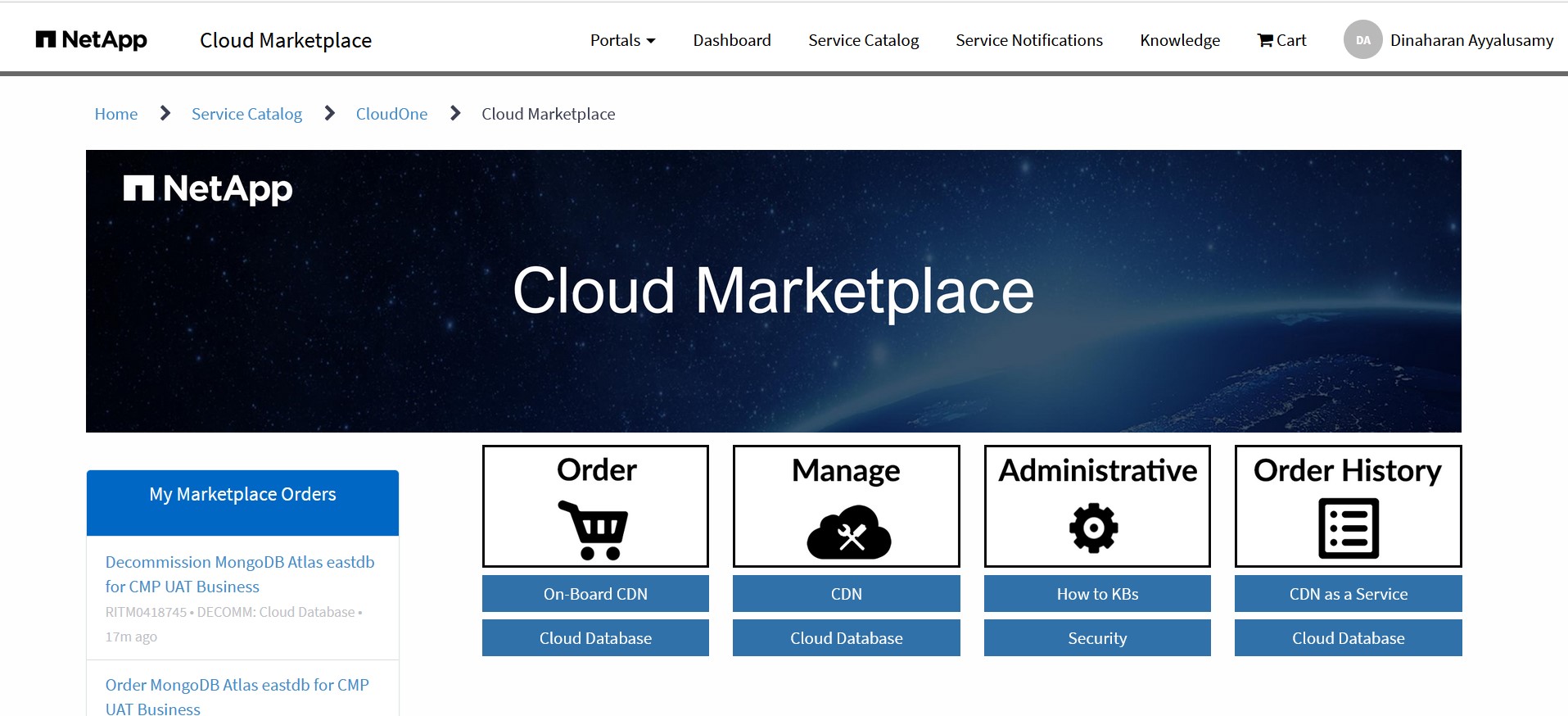
To Order MongoDB Atlas cluster login to Cloud Martketplace portal (https://netapp.service-now.com/marketplace)
-
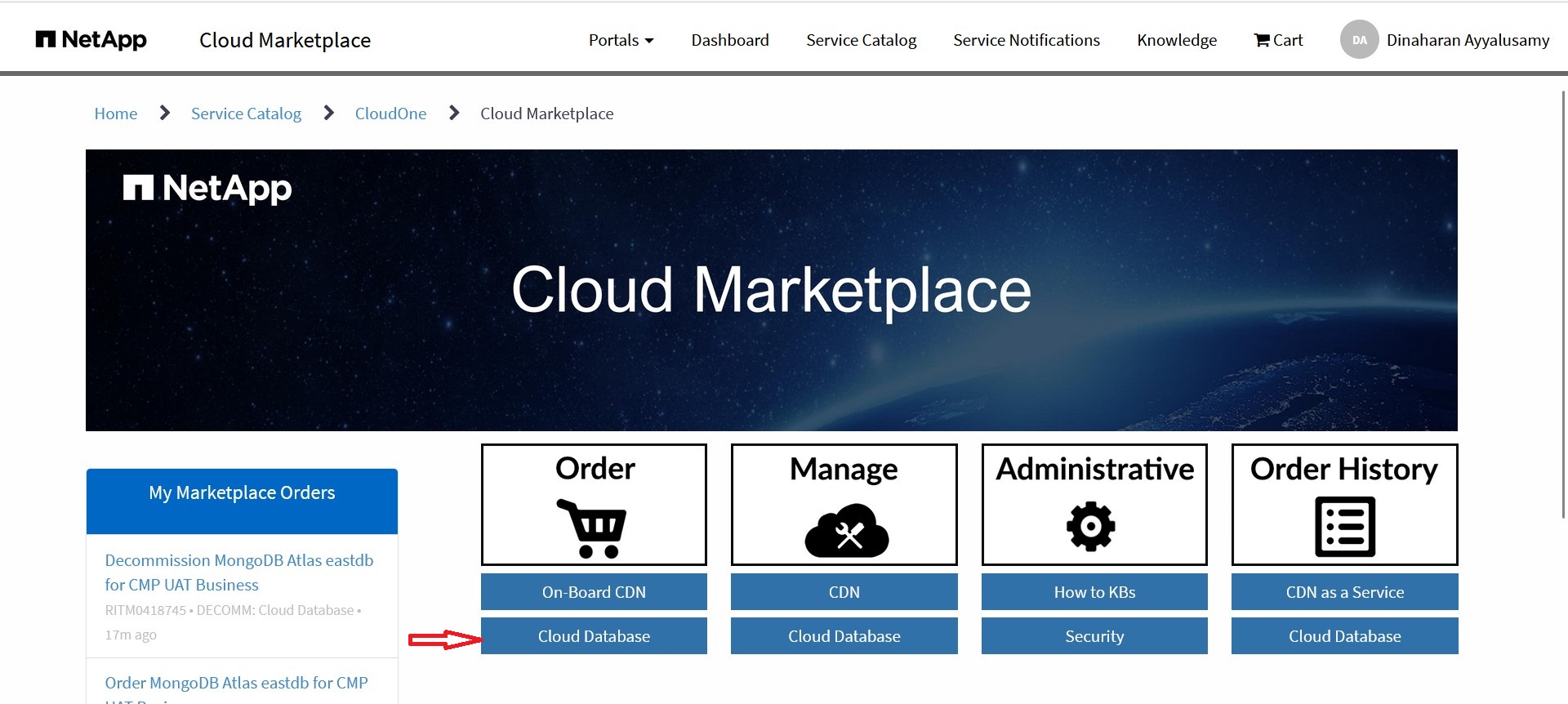
Select Cloud database from Order option.
-
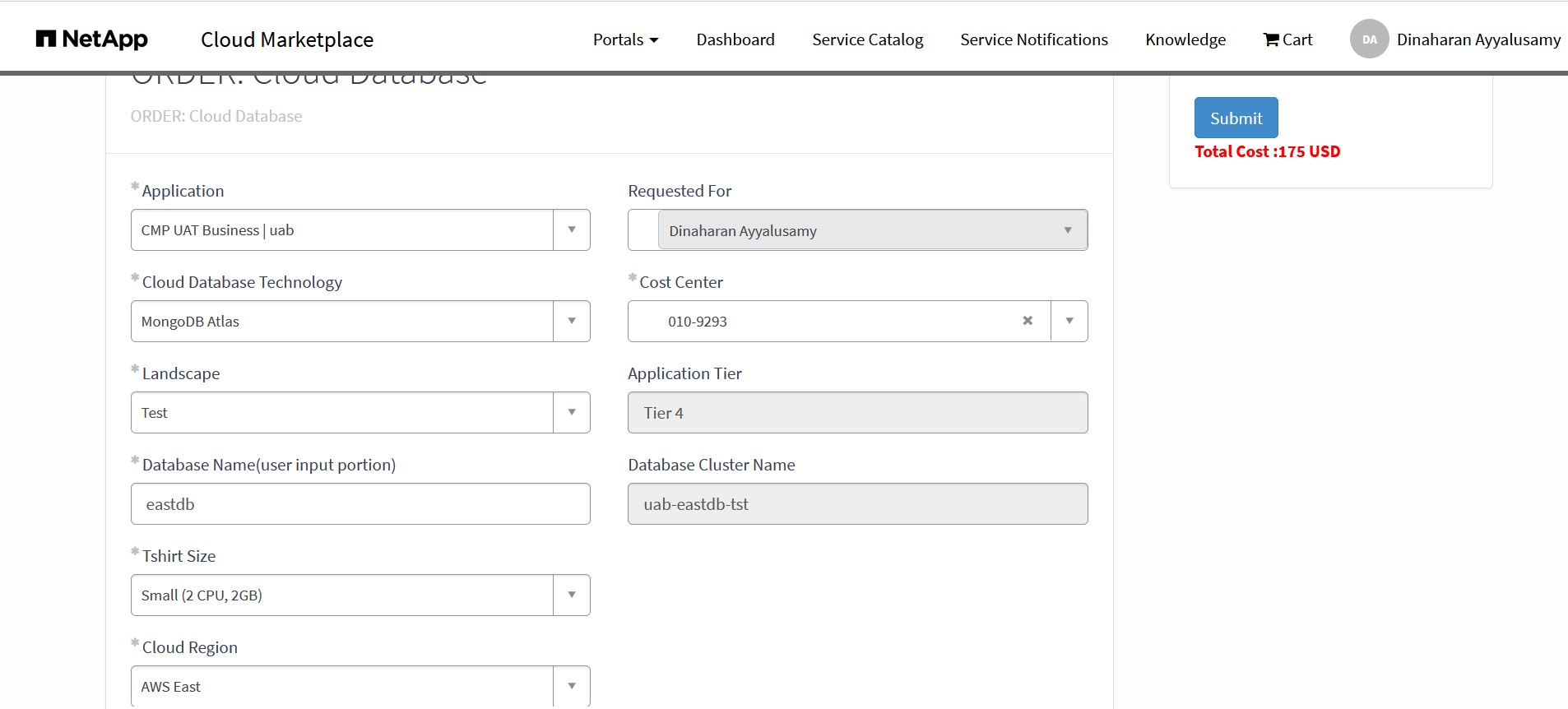
Order your cluster by choosing the instance size, landscape, cloud region, and other settings.
-
Things to consider while choosing the cluster t-shirt size.
-
Billing: Keep in mind that billing for MongoDB Atlas starts as soon as the cluster is provisioned. Therefore, it's essential to carefully plan and consider your database needs before creating a cluster to avoid unnecessary costs.
-
Database Size: If you are unsure about the size requirements of your database, it is recommended to start with a smaller configuration. MongoDB Atlas allows you to scale up your cluster as needed, so you can easily increase the resources allocated to your database as your application grows.
-
Scaling Down: It's important to note that if you have over-provisioned your cluster and need to scale down, the only way to achieve this is by provisioning a new cluster with the desired configuration and migrating your data. Once the migration is complete, you can decommission the old cluster. Therefore, it's crucial to plan your resource allocation carefully to avoid unnecessary complexity and downtime.
-
-
Once your cluster is provisioned, you will receive an email with connection string details.
-
Access to Atlas cloud portal (https://cloud.mongodb.com/sso/0oajkrc0zi6hhOhNK297) is granted based on following AD groups. You need to be part of one these groups to gain access.
-
ng-ngdc-
-admin : readonly access -
ng-ngdc-
-dba : data admin access
-
-
Atlas database comes with following backup policy.
-
Hourly - Snapshot taken every 6 hours and retained for 7 days.
-
Daily - Snapshots retained for 7 days.
-
Weekly - Snapshot taken on saturday and retained for 4 weeks.
-
Monthly - Snapshot taken on last day of the month and retained for 12 months.
-
-
Here is the quick demo of how to order an MongoDB Atlas cluster from Cloud Martketplace portal
Click the below image to watch the video
Manage MongoDB Atlas
Upsize the cluster size
-
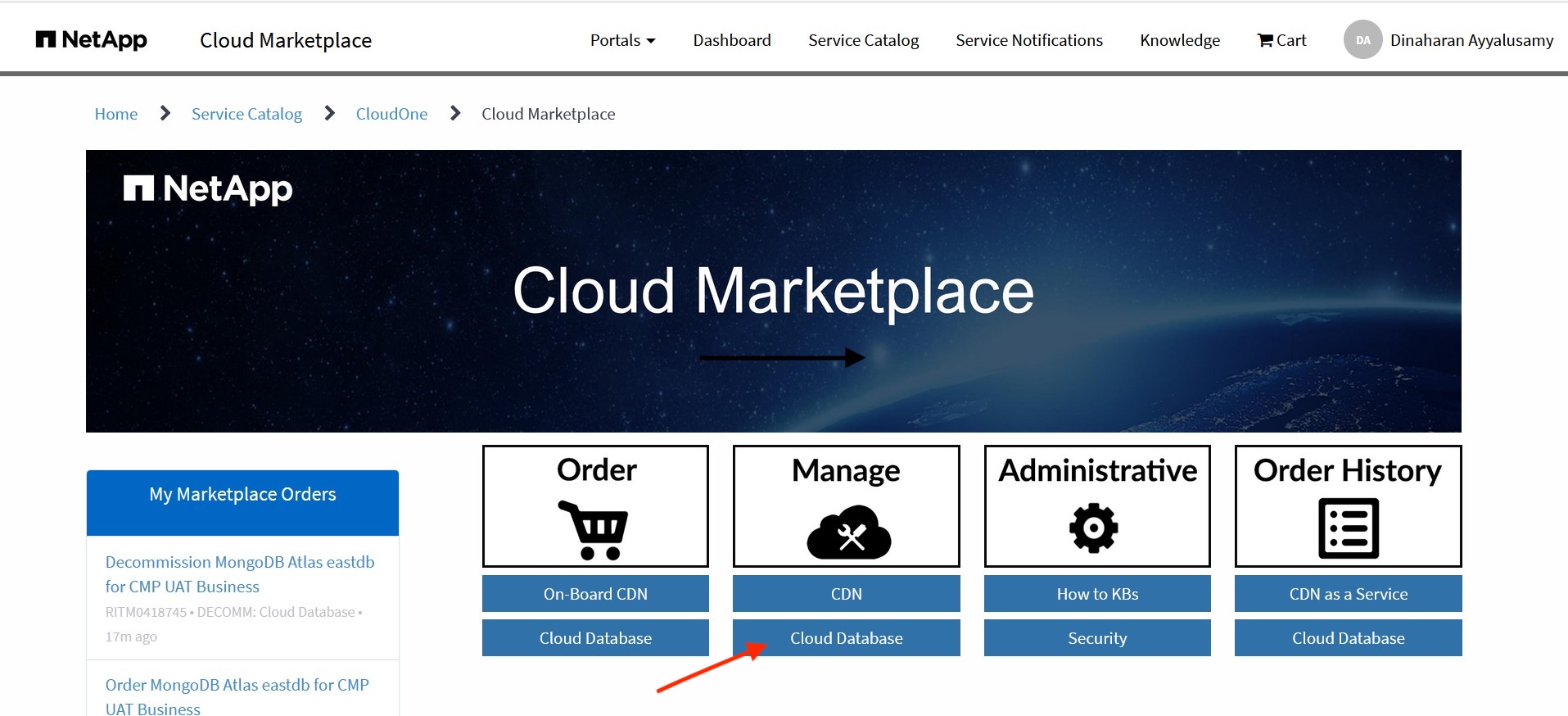
To Manage MongoDB Atlas cluster login to Cloud Martketplace portal (https://netapp.service-now.com/marketplace)
-
Select Cloud database from Manage option.
-
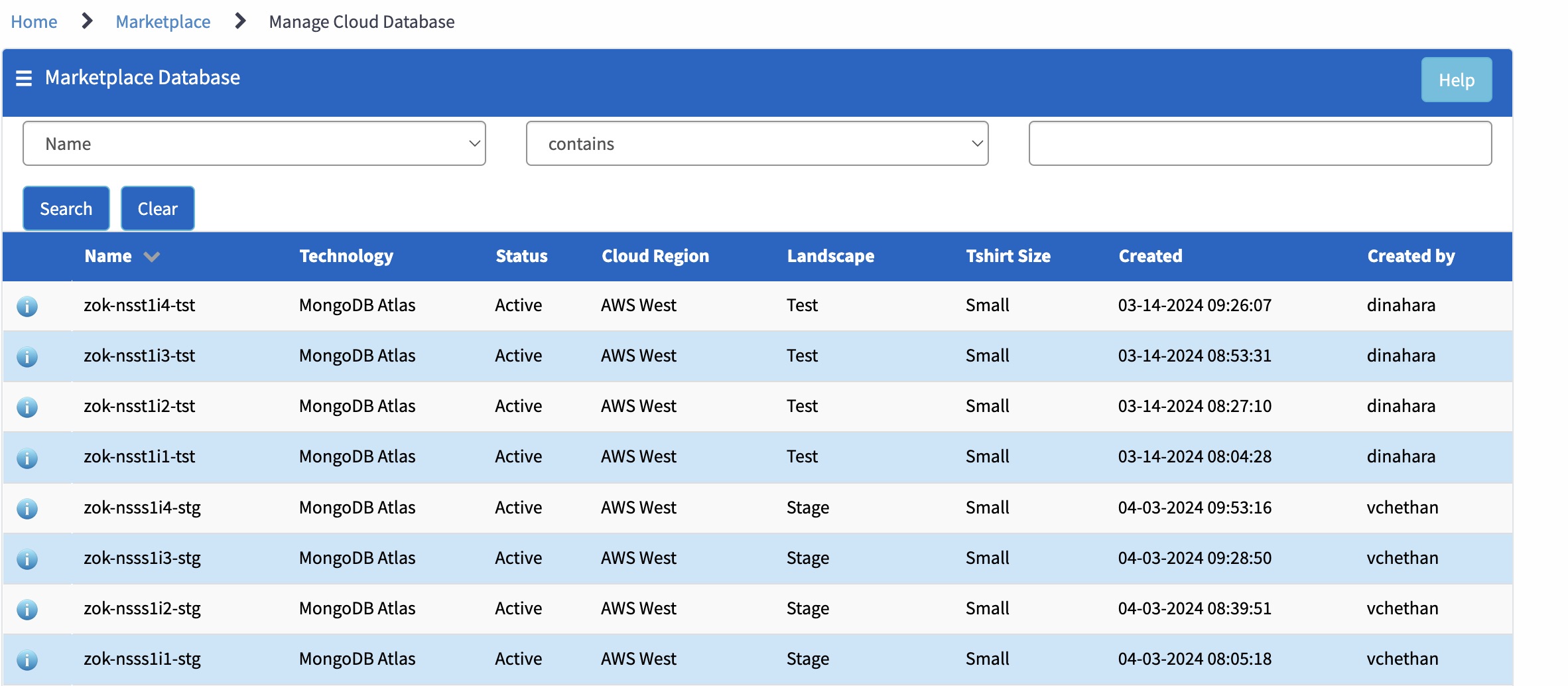
To resize your cluster by choosing the cluster from the list.
-
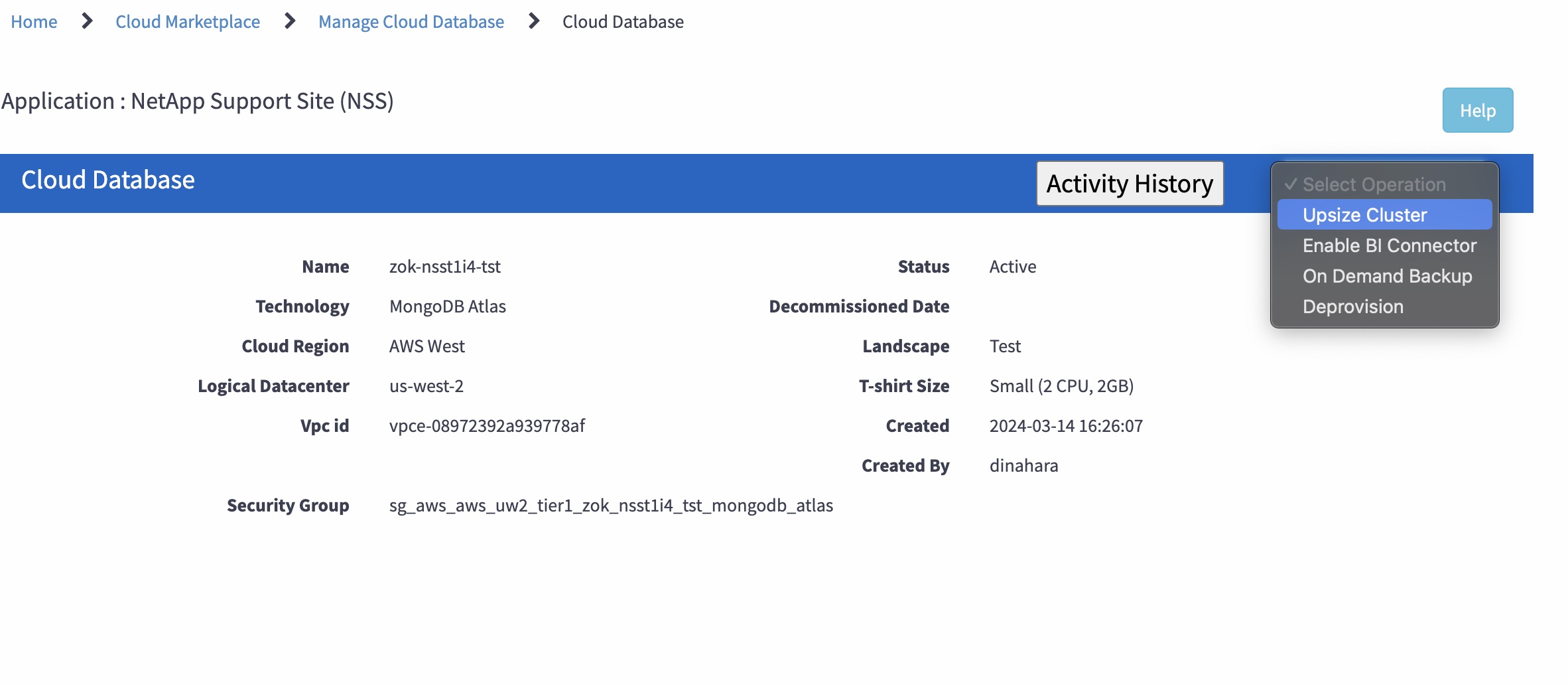
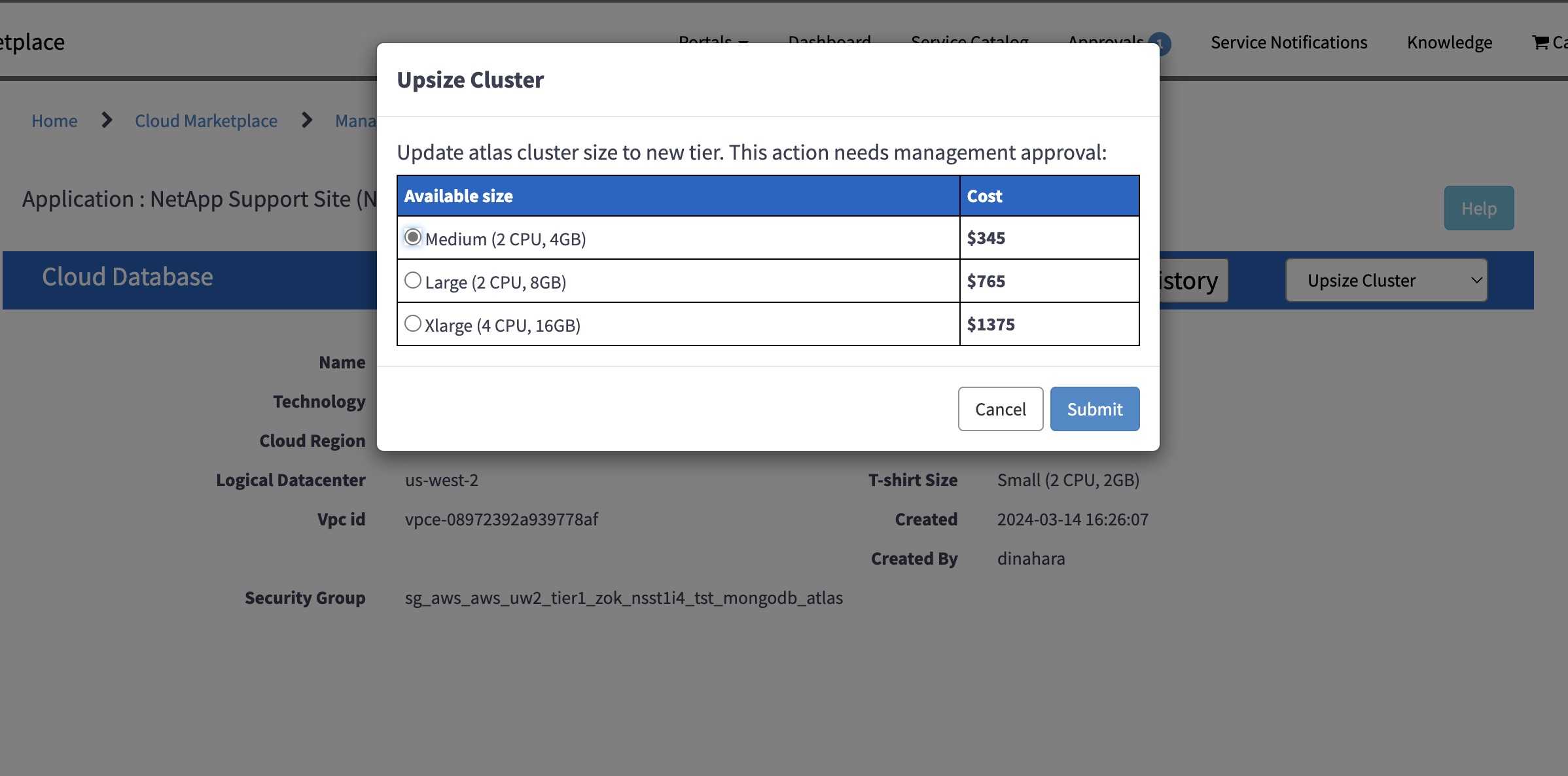
Select Upsize cluster option from select operations dropdown list.
-
Select the new instance size from the list and click submit. Note: This operation needs approval.
Enable BI Connector
-
To Manage MongoDB Atlas cluster login to Cloud Martketplace portal (https://netapp.service-now.com/marketplace)
-
Select Cloud database from Manage option.
-
To enable BI connector for your cluster by choosing the cluster from the list.
-
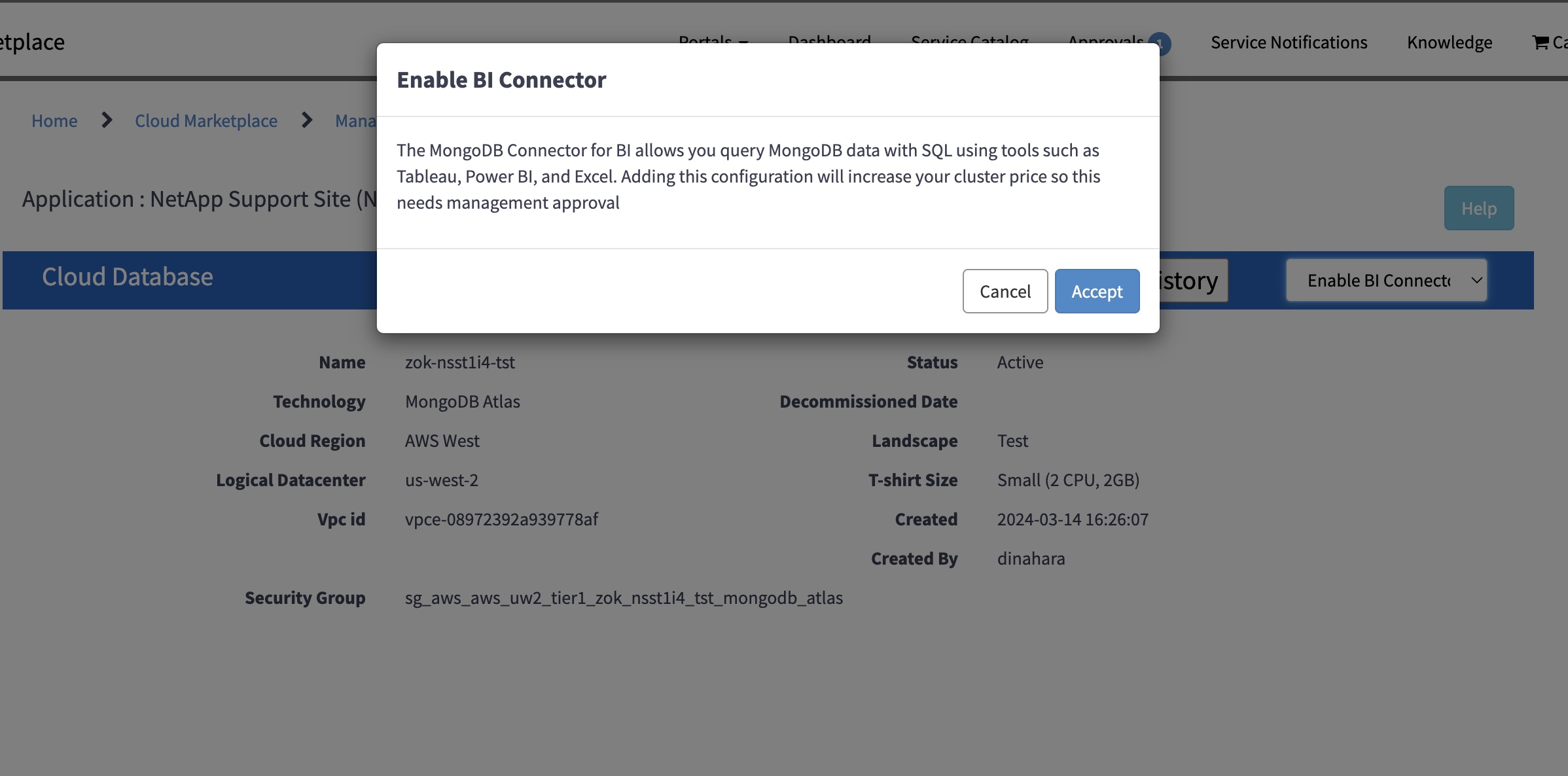
Select Enable BI Connector option from select operations dropdown list.

-
Accept the confirmation message. Note: This operation needs approval.
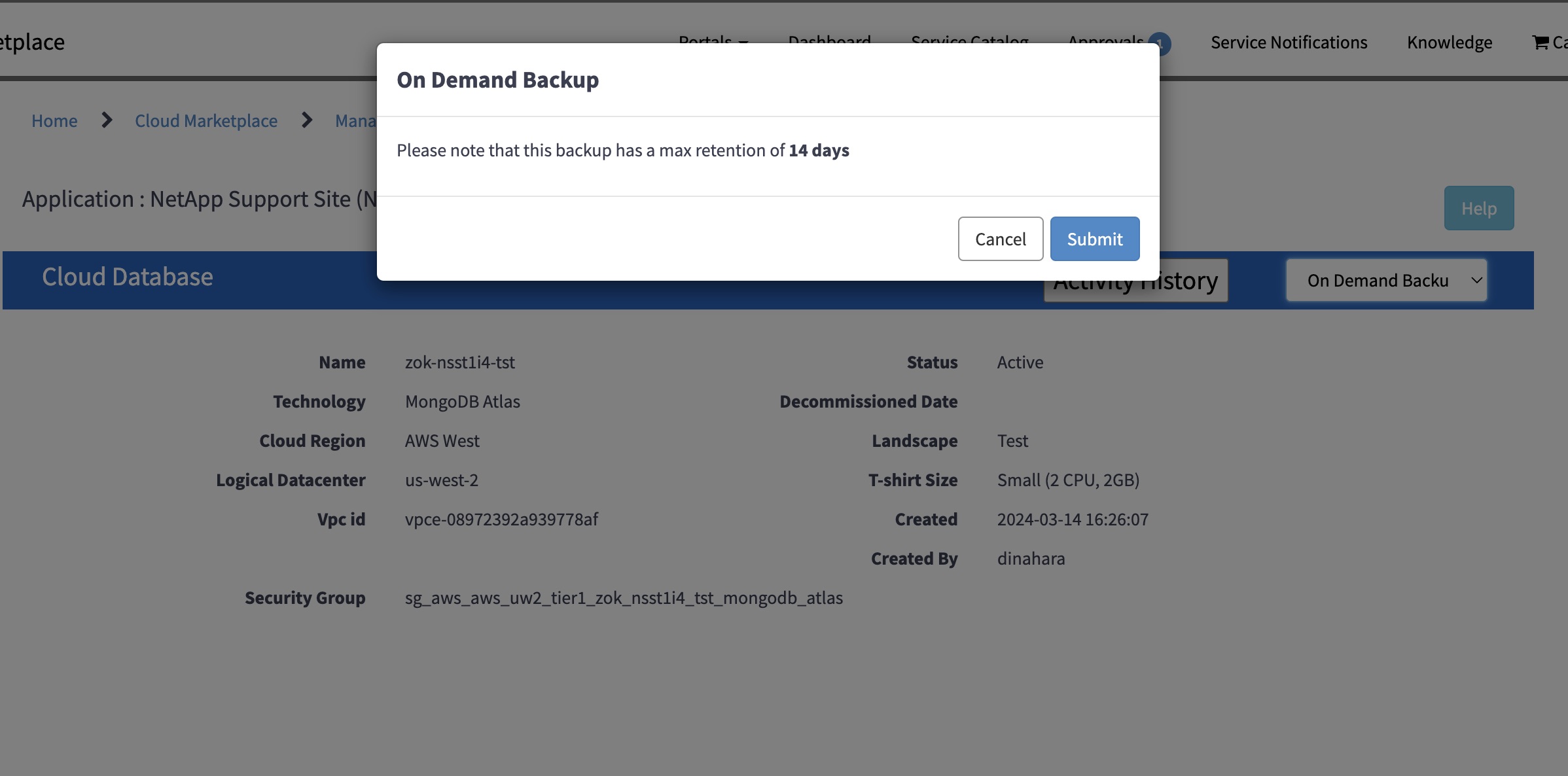
Take On-demand backup
-
To Manage MongoDB Atlas cluster login to Cloud Martketplace portal (https://netapp.service-now.com/marketplace)
-
Select Cloud database from Manage option.
-
To enable BI connector for your cluster by choosing the cluster from the list.
-
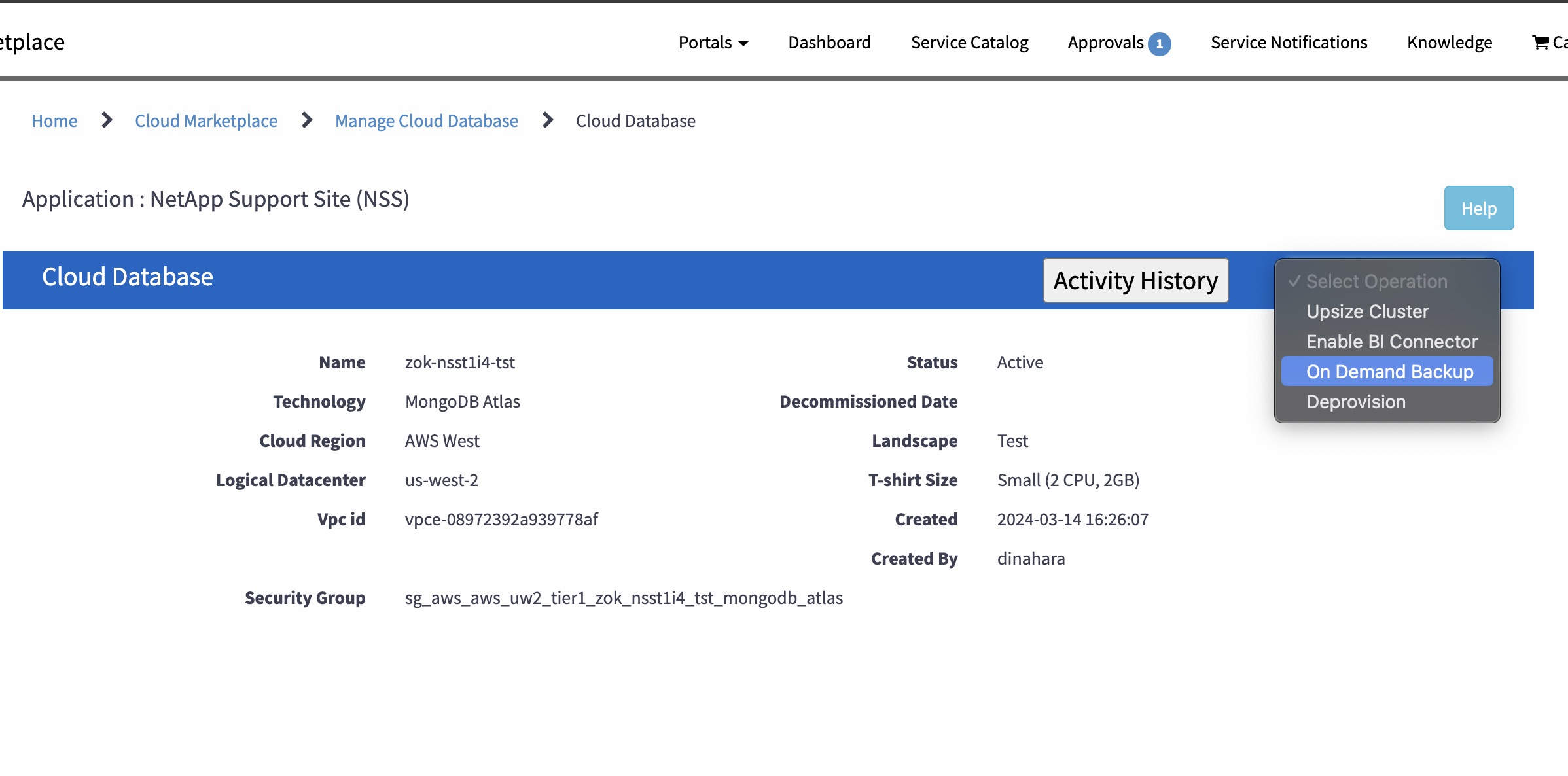
Select On Demand Backup option from select operations dropdown list.
-
Accept the confirmation message.