Building a MEAN Stack Application in SCALE: A Step-by-Step Guide
Welcome! If you've already watched the video, you're ahead of the curve. For those starting fresh, here's your comprehensive guide to creating a MEAN Stack application within SCALE. Let's dive in!
Getting Started
Step 1: Register Your Application
- Go to Enterprise Service Portal within ServiceNow
- Click Service Catalog
- Search for "Application Registration"
- Fill in the details and click Submit
- You will receive an email confirmation with a three-letter app code
Step 2: Onboard Your Application
-
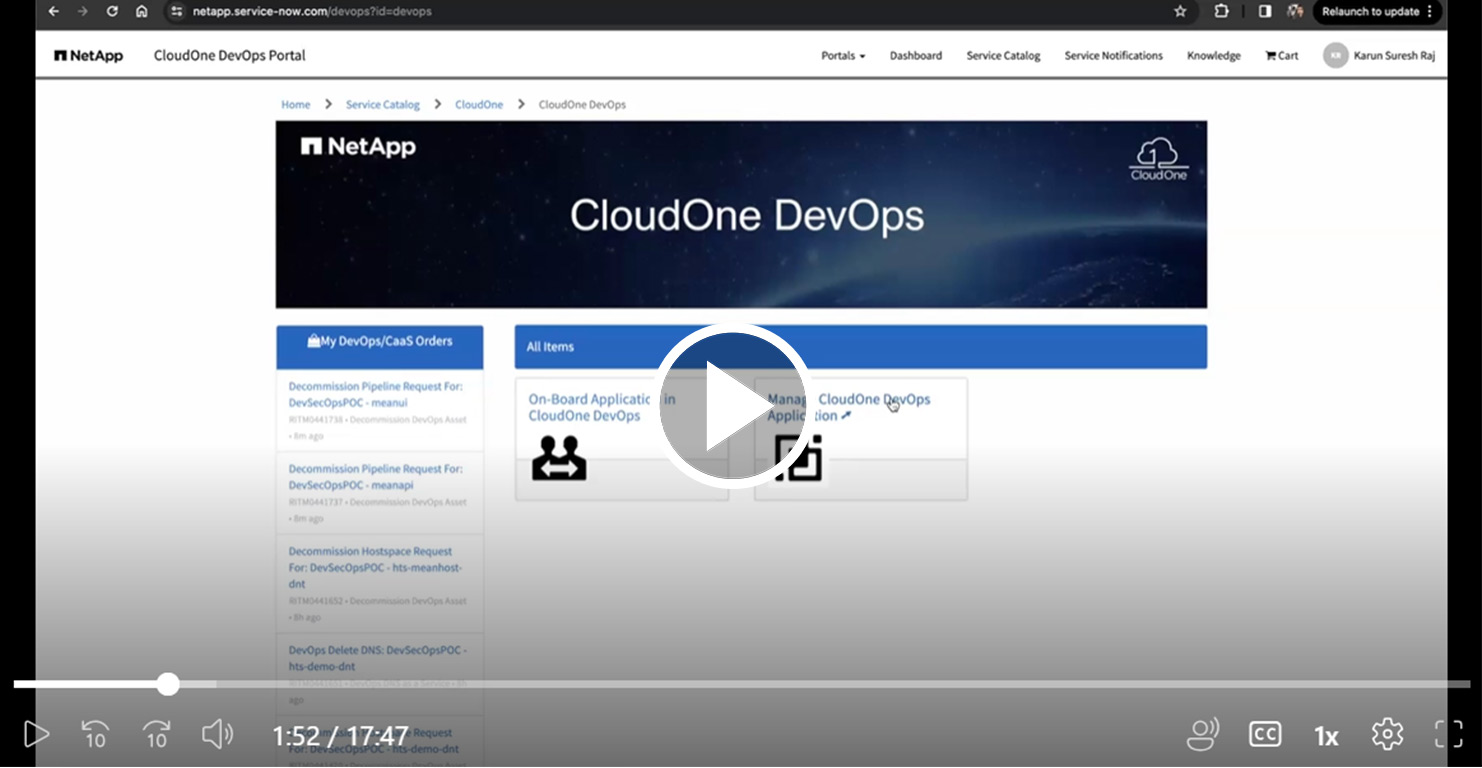
Navigate to NetApp ServiceNow DevOps
-
Click On-Board Application in CloudOne DevOps to begin the onboarding process
This processkicks off a series of automation steps, typically taking 40-45 minutes, after which you will receive an email with links to:
- Azure DevOps Project
- SelfAssist Portal
- Rancher environment
- NEAT, JFrog Artifactory, and StorageGrid
Developing Your Application
Step 3: Ordering Your App Stack
- Go to Manage CloudOne DevOps Application
- Search for your three-letter APP CODE
- Order the following Services -
- Pipelines: AngularJS, NodeJS
- DataSpaces: MongoDB (choose an appropriate T-Shirt Size)
- Hostspaces: Order one Hostspace (choose an appropriate T-Shirt Size)
Step 4: Setting Up Your Development Environment
- Go to Azure DevOps Org and choose your project
- For the frontend:
- Navigate to
Repos/Files/ - Select angularjs-meanui from the drop-down
- Create a feature branch and clone the repo locally
- Navigate to
- For the backend:
- Navigate to
Repos/Files/ - Select nodejs-meanapi from the drop-down
- Create a feature branch and clone the repo locally
- Navigate to
Step 5: Local Development
Complete your Application development locally. Run following tests to avoid any failures within the pipeline:
-
Angular:
npm run test:cifor component level testingnpm run lintfor Lint testingnpm run e2e:cifor E2E testing
-
NodeJS:
npm run test:ciandnpm run lint- Add the express dependency and update the eslintrc file if using Express instead of the provided HapiJS
Step 6: Preparing for Deployment
-
Commit and push front-end and back-end code to remote
-
Run the Pipeline and ensure the deployment to the workspace is successful without any errors
Finalizing Deployment
Step 7: Deploying to Hostspace
- Modify
azure-pipelines.ymlto comment out the workspace section and enable the hostspace section. This must be done for both API and UI repos
   extends:
   template: devops/nodejs-meanapi.yml@spaces
   parameters:
      appVersion: 4.5.1
      acceptanceSpace: hts-meanhost-dnt
      spaces:
         # workspace:
         #    helm:
         #    overrideFiles: |
         #       hts-meanapi/values.workspace.yaml
         hts-meanhost-dnt:
         helm:
            overrideFiles: |
               hts-meanapi/values.hostspace.yaml
- Within API repo, update
values.hostspace.yamlIngress endpoints to point to '/api'
   ingressEndpoints:
   - # Dynamically Generate URL
   internal:
      enabled: true
      mappings:
      - prefix: "/api"
         rewrite: "/api"
   external:
      enabled: false
      mappings:
      - prefix: "/api"
         rewrite: "/api"
- Within API repo, update
values.yamlLiveness and readiness probes
   livenessProbe:
   httpGet:
      path: /
      port: nodejs

   readinessProbe:
   httpGet:
      path: /
      port: nodejs
Step 8: Setting Up MongoDB
- Create your connection string using the MongoDB credentials available in the Rancher UI
- Securely manage this connection string as a
variablewithin Azure DevOpsVariable Groups(Check Self Assist Documentation for more details) - Update
azure-pipelines.ymlandvalues.hostspace.yamlfiles to reference the envioronment variable
azure-pipelines.yml
   spaces:
   hts-meanhost-dnt:
      variableGroups:
         - db-vars
      secretVarKeys:
         - dburl
      helm:
         overrideFiles: |
         hts-meanapi/values.hostspace.yaml
values.hostspace.yaml
   env_vars:
   - name: "primary"
   configs:
         INSTANCE: "primary"
         DB_HOST: "primary.db.host"
         AWS_ENDPOINT: "https://dummy.com"
         DB_URL: "$dburl"
- Update application source code to reference above envirornment variables
db.config.js
const url = process.env.DB_URL;
Step 9: Custom Domain Setup
- Register a custom domain
- Navigate to NetApp ServiceNow DevOps
- Click Manage CloudOne DevOps Application
- Search for your three-letter APP CODE
- Click DNS as a Service and enter your preferred domain name to get the DNS Record created
- Update
values.hostspace.yamlwith your custom domain
   ingressEndpoints:
   - host: meanstackdemo.netapp.com
Commit your changes and push to remote. Your application will be accessible via the custom domain
Need Assistance?
If you encounter any issues or require support, don't hesitate to reach out to one of the SCALE team members. We're here to help!