AI SCALE Assist
AI SCALE Assist is an AI-powered assistant designed to help you analyze and optimize your SCALE applications. It provides intelligent insights into application performance, resource utilization, and error diagnosis across your environments.
Accessing AI SCALE Assist
Navigate to the NetAIChat portal and sign in with SSO.
Access Requirements
- You must be a member of the ng-ngdc-user AD group.
- Users without this group membership will not see or be able to use the SCALE Assist agent.
Enabling SCALE Assist
Before using SCALE Assist, you must enable it in the NetAIChat portal:
-
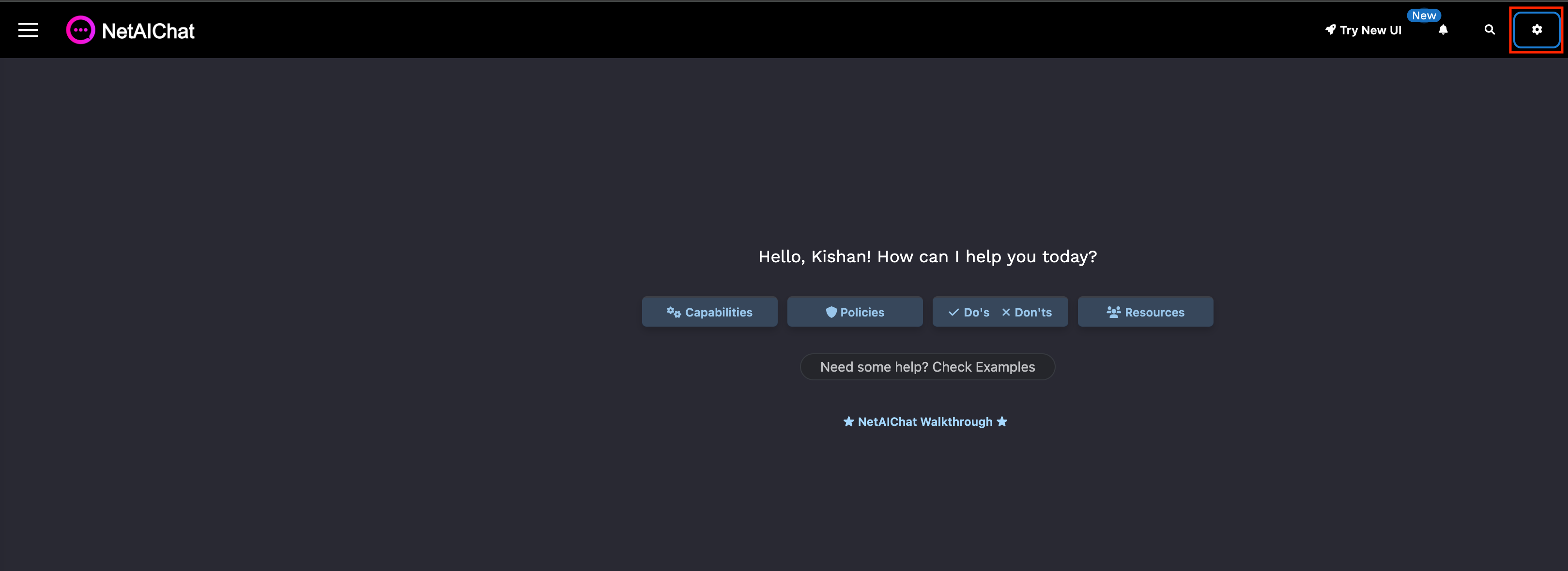
In the NetAIChat portal, click the Settings icon.
-
Navigate to Agents & Apps and locate Scale Assist in the list.
-
Click Connect agent.
-
Click Save and Close.
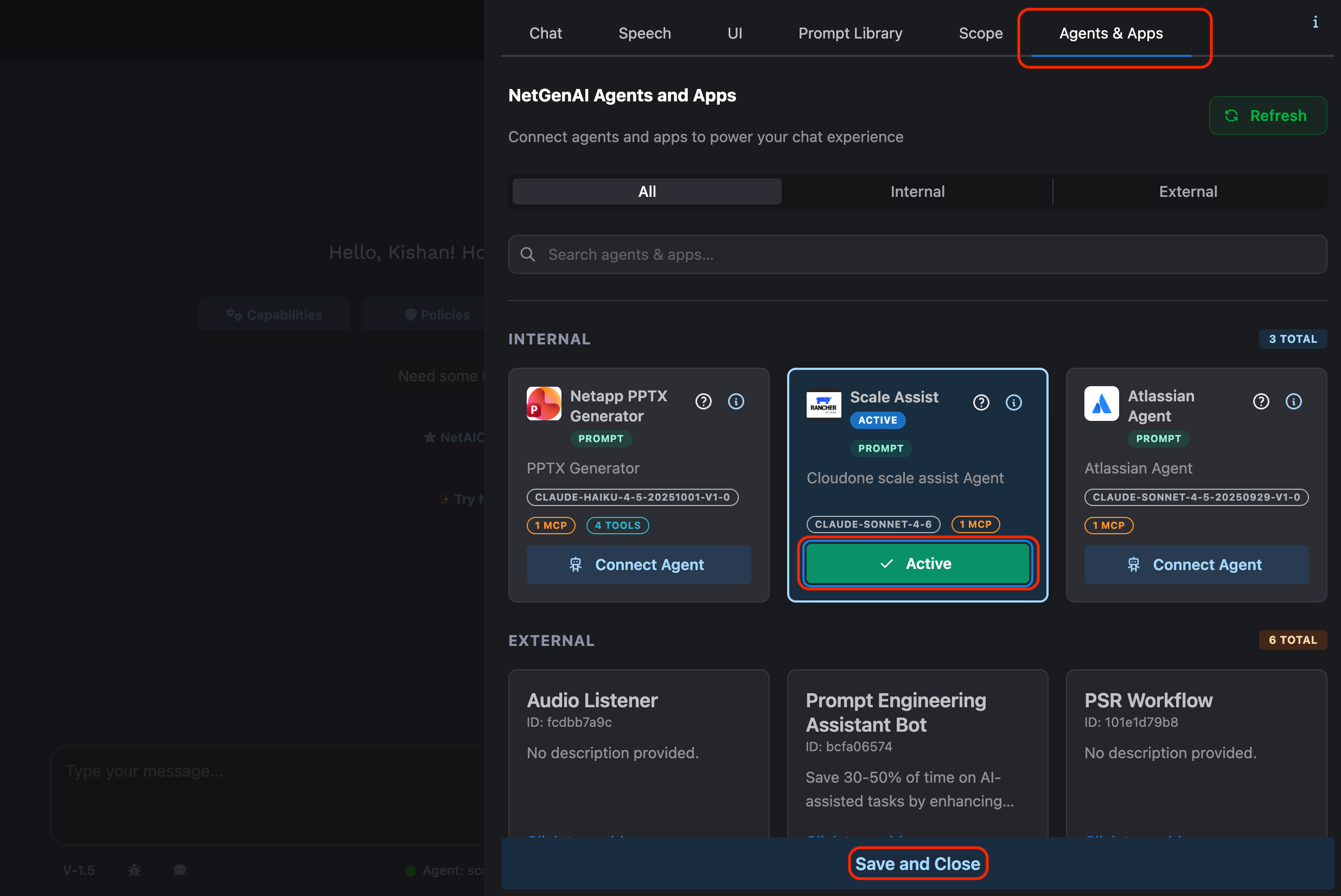
SCALE Assist is now active and ready to use.
Suggested Prompts
Below are example prompts to get started. Replace the placeholders (<app code>, <cluster name>, <namespace>) with your actual values.
Performance Analysis
Identify trends and anomalies in application performance:
Analyze <app code> prod app performance on cluster <cluster name> over the last 7 days.
Report trends and anomalies in latency, error rate, throughput, CPU/memory, and restarts.
Right-Sizing Recommendations
Review resource metrics and get optimization recommendations:
Review the last 7 days of metrics for the <app code> production app on cluster <cluster name>
(CPU, memory, requests/limits, latency, throughput, errors, restarts). Recommend right-sizing
changes and quantify expected impact.
Namespace Analysis
Analyze all workloads within a specific namespace:
Could you please analyze namespace "<namespace>" on cluster "<cluster name>"?
General Application Health
Check overall application health in any environment:
How is my production application performing? My 3 letter app code is <app code> and production
namespace is on cluster <cluster name>.
Error Investigation
Investigate application errors and surface potential concerns:
Are there any errors within my production application that I should be concerned about?
My 3 letter app code is <app code> and production namespace is on cluster <cluster name>.