SCALE DB stacks Backup & Restore from AWS S3
This guide aims to provide you with essential information about the backup and restore changes we introduced in v4.5. Starting with Pipeline v4.5, backups will be stored in AWS S3, whereas previously, backups were being stored in NPC Sgrid. We have also provided the option to restore from NPC Sgrid in case you need to restore from old backups.
For more details about backup and restore, please refer to this documentation: SCALE DB Ops Documentation.
Introduction
DB Pipeline version 4.5 for any database stack can be run in one of the four modes:
- Refresh (default)
- Backup
- Backup-list
- Restore
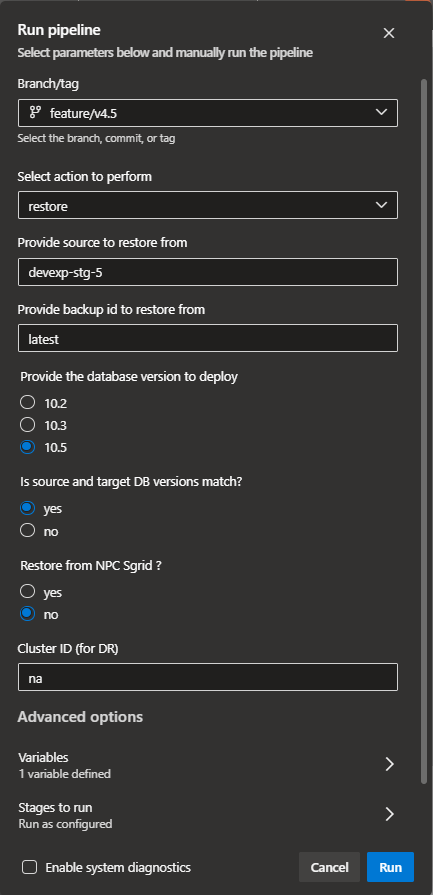
While running the pipeline, an appropriate branch mode needs to be selected as an action to perform. We have introduced a new parameter "restoreFromSgrid" to help restore from NPC Sgrid in case you would like to restore old backups stored in Sgrid. To achieve this, the parameters section of azure-pipelines.yaml needs to be updated.
parameters:
  - {
      name: mode,
      displayName: "Select action to perform",
      type: "string",
      values: ["refresh", "backup", "backup-list", "restore"],
      default: "refresh",
    }
  - { name: restoreFrom, displayName: "Provide source to restore from", type: string, default: "<dataspace repo name>" }
  - { name: backupId, displayName: "Provide backup id to restore from", type: string, default: "latest" }
  - { name: restoreFromSgrid, displayName: 'Restore from NPC Sgrid ?', type: 'string',values: ['yes','no'], default: 'no' }
Automation Repository should point to release/v4.5 and spaces ref should be dbaas/v1.5
  repositories:
  - { repository: templates, type: git, name: devexp-engg/automation, ref: release/v4.5 }
  - { repository: spaces, type: git, name: spaces, ref: dbaas/v1.5 }
Refresh Mode
There are no changes in the refresh mode; it remains the same as in the previous version of the pipeline.
Backup Mode
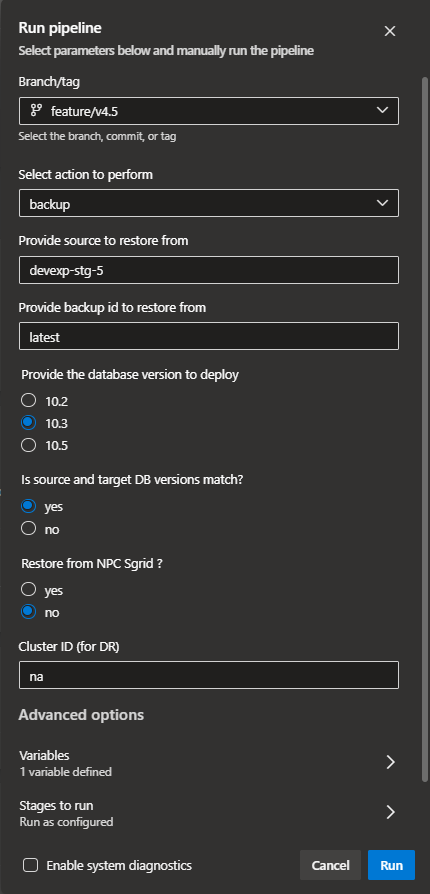
The SCALE pipeline will perform a full backup of the database running in that particular database space. Depending on the cluster of your database, the backup will be stored in either the AWS EAST S3 bucket or the AWS WEST S3 bucket. However, bidirectional backup replication between East and West is enabled. If you would like to restore from the East database to the West or vice versa, it is doable.
Backup-List Mode
This mode lists all available or previously completed backups for any existing database in a SCALE data-space.
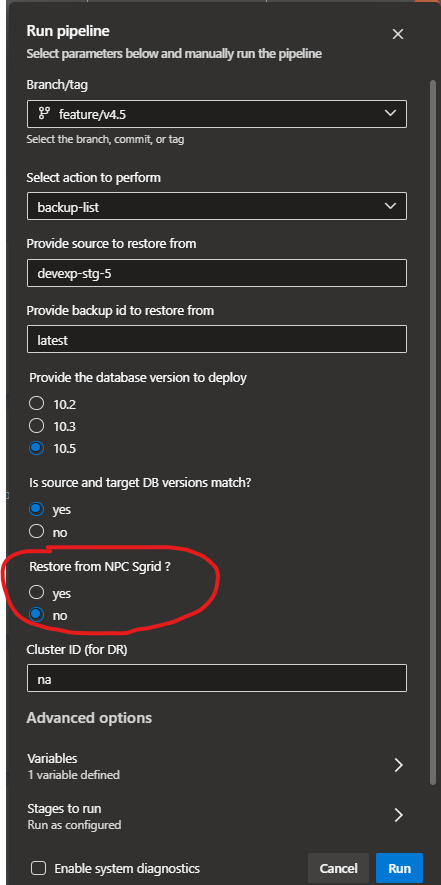
As of v4.5, we have provided an option "Restore from NPC Sgrid?" The option is by default set to "no". In case you need a list of backups from NPC Sgrid, you can set it to "yes" and run the pipeline. This will connect to NPC Sgrid and provide you a list of backups with IDs, which can be used for restoration.
Restore Mode
SCALE pipelines restore the source database backup (ID) to the target database running in that particular database space.
As of v4.5, we have provided an option to restore from NPC SGRID or AWS S3 (default). The "Restore from NPC Sgrid?" option is by default set to "no". In case you need to restore backups from NPC Sgrid, you can set it to "yes" and run the pipeline. This will connect to NPC Sgrid and restore from there. By default, it will restore the latest backup. If you want to restore older backups, you can run a list option to get the ID and use that to restore.