Getting Started in the Azure DevOps environment
In order to begin work for a given application, that application must be "onboarded" into SCALE. This is done by following the instructions in the document: SCALE Concepts and Procedures in the "Onboarding an Application" section. Once the application is onboarded, the application owners registered to ServiceNow will receive an email that will include links to key resources, including Azure DevOps and OpenShift web consoles for the application. These same links can be found within the Configuration Management Database (CMDB) of ServiceNow (which is where onboarding and managing of the all of the SCALE applications is initiated).
If the application is already onboarded but a new application stack (i.e. microservice or similar application component) is to be added, then the steps for this are also in the document SCALE Concepts and Procedures in the "Managing an Application" section.
Once the application and the appropriate application stack is available in SCALE, it can be accessed in Azure DevOps at the URL: <https://dev.azure.com/netapp-ngdc/XXX-workspace/ where XXX is the (usually) 3-letter AppCode assigned to the application when it was onboarded into SCALE.
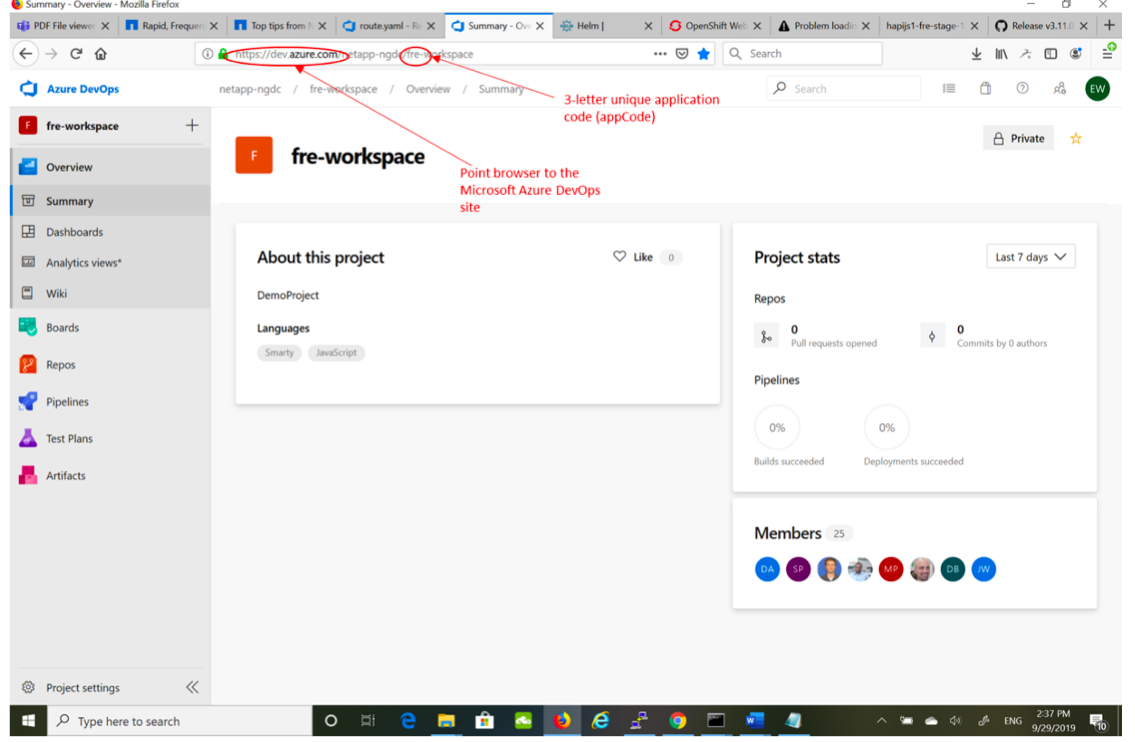
Within this web page, a developer can navigate to a number of places. To get to the source code for the application stack, navigate from the left pane to the Repos section and the Files sub-menu, then in the upper middle section of the pane, there will be a drop-down box to select the specific application stack to navigate to within the repository.
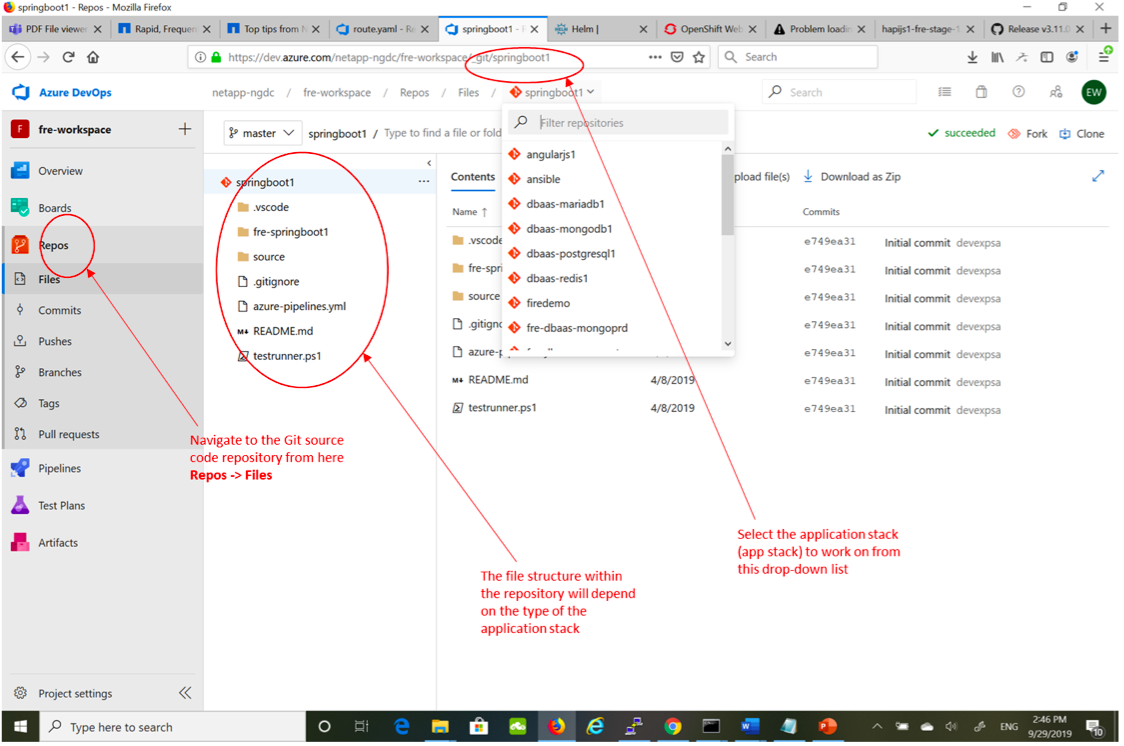
Once navigated to the appropriate repository, it can be cloned to a local development environment (i.e. local workstation) for development and updates to the application source code, as well as for configuration of deployment environments and pipeline flow, reflected in the azure-pipelines.yml file. This would include setting the appropriate application version (reflected in the appVersion variable under the extends section, parameters: subsection) and defining the target workspace and hostspaces plus any dependencies between hostspaces or prerequisite deployment objects required. Once it is ready to be deployed into the SCALEx workspace and the new application version has been set as well, create a Git pull request for the updates to the code. The creation of this pull request will trigger the Continuous Integration / Continuous Delivery (CI/CD) pipeline to start.