Redis
Redis DB Stack
The Redis db stack is used to build and deploy Redis database in dataspaces and produce deployment-ready containers for the SCALE environment. Redis is an in-memory data structure project implementing a distributed, in-memory key-value database with optional durability. Redis supports different kinds of abstract data structures, such as strings, lists, maps, sets, sorted sets, HyperLogLogs, bitmaps, streams, and spatial indexes.
The containers produced in this db stack share common requirements with other application and db stacks deployed to the SCALE environment. These shared requirements include:
- Security scanning for any vulnerabilities
- Staging of the db container in the appropriate Docker container repositories and tagged according to SCALE conventions
- Completion of Unit Testing and User Acceptance Testing
- Gated approvals before allowing deployments into pre-production and production environments
- Audit trail and history of deployment within the SCALE CI/CD Pipeline
Because of the above-listed requirements, the Redis db stack is provided in order to support the build and deployment of Redis database in a manner that integrates with SCALE requirements and processes. The flow of deployment includes first a Continuous Integration stage of processing in a pipeline prior to deployment in the Continuous Deployment stages. The Continuous Integration stage focuses on building the application, running scans to security vulnerabilities, and staging the container in the appropriate Docker repository ready for deployment. Subsequent pipeline stages deploy the application to the appropriate target Kubernetes spaces.
For details on getting started, repository structure, CI/CD pipelines, and pipeline definition, see the Common Database Documentation.
Configuration and Customization of the Redis v4.3 Pipeline
Global Variables
For details on global variables, see Global Variables.
Database-Specific Pipeline Configuration
The extends YAML object is a complex object consisting of additional YAML objects. This object is used to extend the v4.3 pipeline logic (referenced by the repository defined in the resources object) by (a) referencing the correct dbstack pipeline entry point (dbaas/devexp-redis.yml@spaces for the Redis pipeline) and (b) passing a set of YAML objects as parameters to influence the behavior of the pipeline to meet an application teams specific needs.
The extends YAML object consists of 2 objects beneath it:
- template
- parameters
The template YAML object is a single value set to the initial entry point for the V4 pipeline for the Redis dbstack, so it should always be defined as follows:
variables:
- { group: redis-<dataspace repo name>.props }
resources:
  repositories:
  - { repository: templates, type: git, name: devexp-engg/automation, ref: release/v4.7 }
  - { repository: spaces, type: git, name: spaces, ref: dbaas/v1.5 }
extends:
  template: dbaas/redis-<dataspace repo name>.yml@spaces
The parameters YAML object is defined immediately following the template object and at the same indentation level. This is the object that requires the most attention and definition to be set up.
Pipeline Modes
For details on pipeline modes, see Pipeline Modes.
Redis pipelines also support the restoreFromSgrid parameter:
- { name: restoreFromSgrid, displayName: 'Restore from NPC Sgrid ?', type: 'string',values: ['yes','no'], default: 'no' }
Backup Schedule
For details on backup scheduling, see Backup Schedule.
Additional Configurations
Support for Kong
Support for Kong has been introduced since V4.7. Kong needs to be enabled in values.yaml and any override values files:
kong:
  tls:
    secret:
  dbaas:
    enabled: true
    domain:
PLEASE NOTE: Ambassador and Kong both can not be enabled at once. You can select either but ONLY one at a time.
New file under helm template tcpingress.yaml is added to support Kong.
CPU Request Tuning
For details on CPU request tuning, see CPU Request Tuning.
Redis example:
extends:
  parameters:
    appVersion: <version>
    redis:
      podSpec:
        cpuRequests: 200m
Database Configuration and Deployment
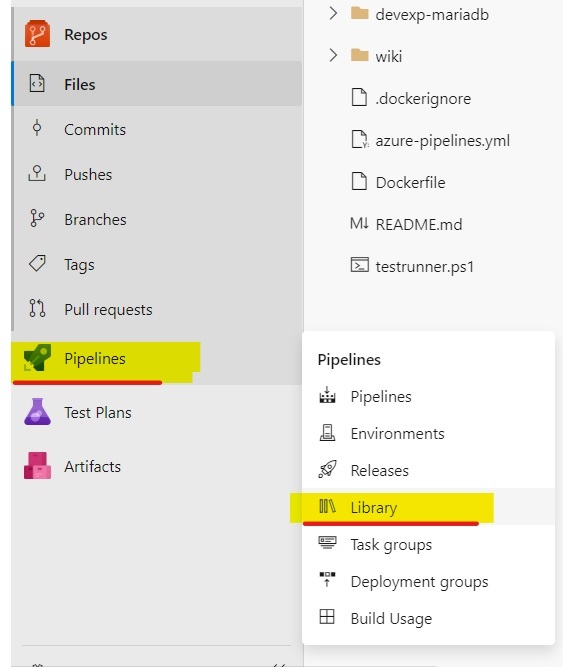
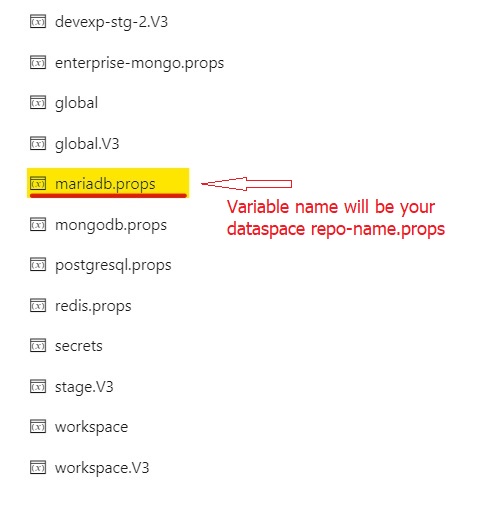
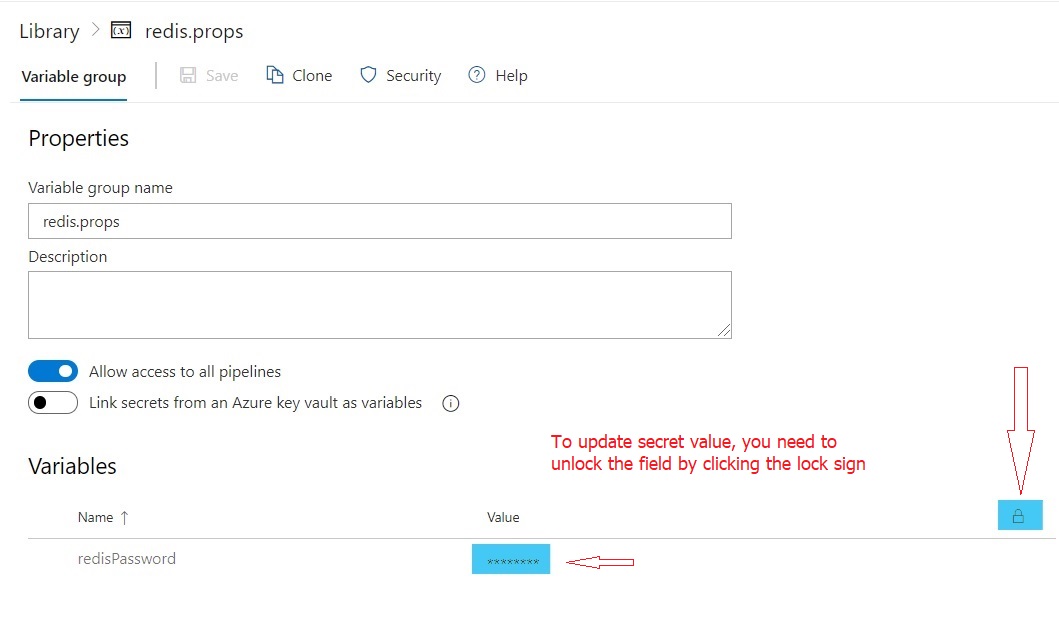
Database will be automatically configured with random password during provision. To modify the details of Redis passwords, you need to update <repo-name>.props variable group in pipeline library.
For general deployment configuration details, see Database Configuration and Deployment.
Helm Override Files
For details on helm override files, see Helm Override Files.
Redis example:
      helm:
        overrideFiles: |
          dbaas-redis1/values.workspace.yaml
    dataspace:
      helm:
        overrideValues: |
How to enable database backup?
Backups using DBaaS self-service option is discontinued for version 4.3, please refer to backup and restore document.
How to use this DB catalog as embedded database in UI or API layer?
To use redis as embedded database, follow the below procedure.
Step 1. Create requirements.yaml file in your UI or API chart directory with following details.
dependencies:
  - name: devexp-redis
    version: "2.0.0"
    repository: "https://artifactory.devops.netapp.com/helm-ngdc"
Step 2. Update values.yaml with following database specific details.
devexp-redis:
  nameOverride: "redis"
  props:
    redisPassword:
Note: we don't provide any password details in values.yaml, you need to work with ops team to setup the password through secretfiles. See the next section about setting up secretfiles.
Step 3. Create secret file and send it to ops team.
Create the yaml format file with following details and update application DB user password and send it to ops team.
devexp-redis:
  props:
    redisPassword:
save the file with following name format.
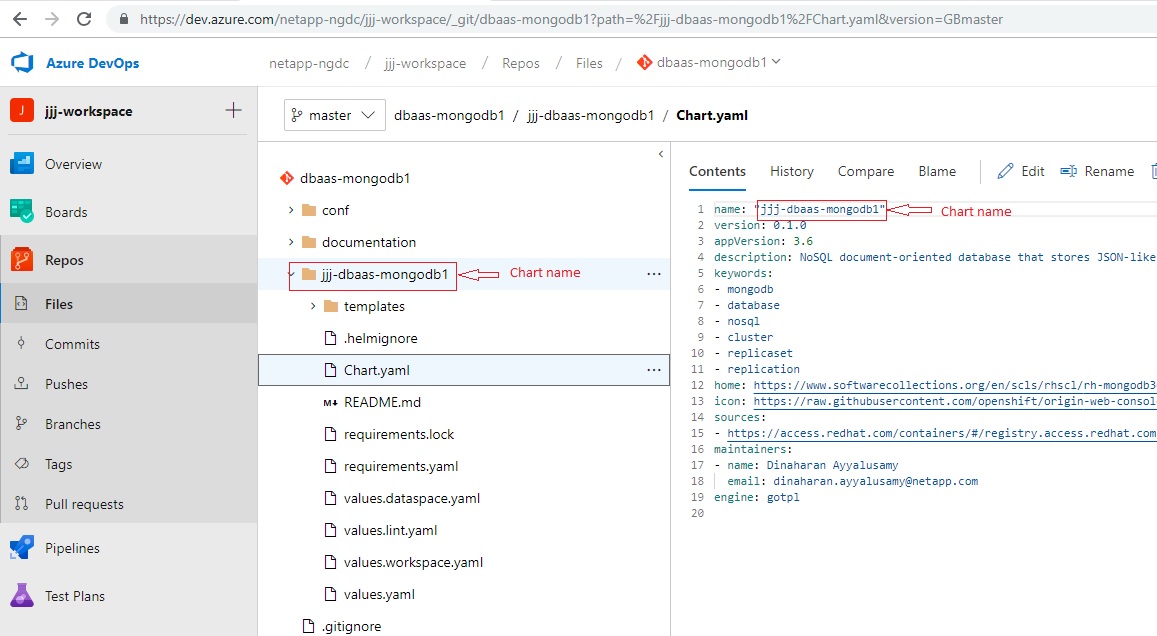
values.$chart.secret.yaml
example: values.rqk-clarity.secret.yaml
Step 4. Send the secret files to ops team and request them to upload the files to pipeline library.
Step 5. Once ops team completes uploading the file to pipeline library, you need to update the azure-pipelines.yaml to include secret file download details.
Once secret files added to pipeline library by ops team, you need to update the azure-pipelines.yaml to make use of those secret files.
workspace:
  manifestSupportSteps:
    - task: DownloadSecureFile@1
      name: mySecureFile
      inputs:
        secureFile: values.rqk-clarity.secret.yaml
  helm:
    overrideFiles: |
      rqk-clarity/values.workspace.yaml
      $(mySecureFile.secureFilePath)
dataspace:
  manifestSupportSteps:
    - task: DownloadSecureFile@1
      name: mySecureFile
      inputs:
        secureFile: values.rqk-clarity.secret.yaml
  helm:
    overrideFiles: |
      rqk-clarity/values.hostspace.yaml
      $(mySecureFile.secureFilePath)
Changing Database User Password
For details on changing database user password, see Changing Database User Password.
Click the below image to watch the video
Exposing Databases Outside the Cluster
See our documention on SCALE Stunnel Client
Sysdig Monitoring
For details on Sysdig monitoring, see Sysdig Monitoring.
DR Changes
For details on DR changes, see DR Changes.
Detailed Pipeline Configuration
For details on pipeline configuration, see Detailed Pipeline Configuration.
Kubernetes Deployment Objects
For details on Kubernetes deployment objects, see Kubernetes Deployment Objects.
Troubleshooting
For troubleshooting information, see Troubleshooting.