Unleash
Unleash Application Stack
The unleash application stack is used to build and deploy unleash feature toggle applications and produce deployment-ready containers for the SCALE environment.
It is installed as a Node module and deployed as a container on the SCALE environment. Keep your npm packages up to date before building.
The CI/CD pipeline includes the following steps:
- Security scanning for vulnerabilities
- Container staging in Docker repositories, tagged per SCALE conventions
- Gated approvals before pre-production and production deployments
- Audit trail and deployment history within the SCALE CI/CD pipeline
For details on getting started, see getting started.
For details on repository structure, see repository structure.
The source directory contains boilerplate code for deploying the Unleash server.
For details on application configuration, see application configuration.
For details on CI/CD pipelines, see CI/CD pipelines.
Prerequisites
Before deploying Unleash, ensure the following are in place:
-
PostgreSQL database - To provision the postgreSQL dataspace, follow the KB article Dataspace Provisioning, once the dataspace is provisioned, all database secrets will be automatically created in cyberArk.
-
Azure AD App Registration - Required for SSO login. Register your app via IAM Service Offerings. Once you open the link, start MS Azure AD OAuth, fill in the form, and submit.

Note: It provides access to users of any of their
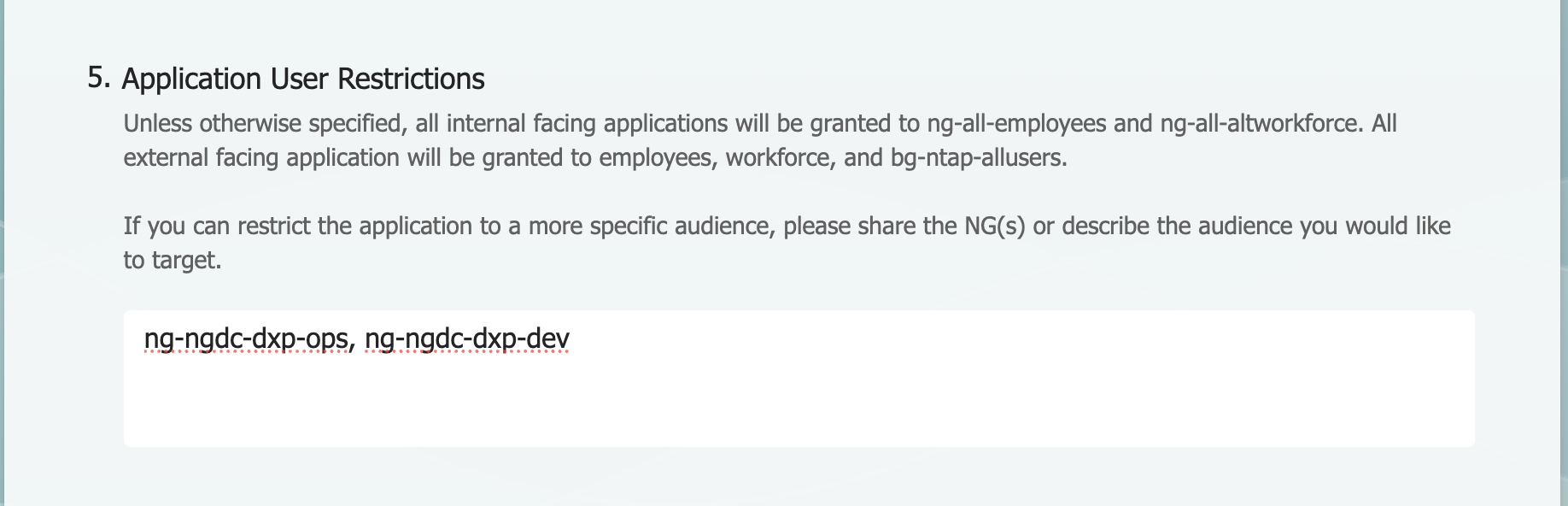
ng-ngdc-<appcode>-*groups. If you want to restrict access, update the Application User Restrictions field in the registration form by specifying the appropriate NG groups (e.g.,ng-ngdc-<appcode>-ops,ng-ngdc-<appcode>-dev).
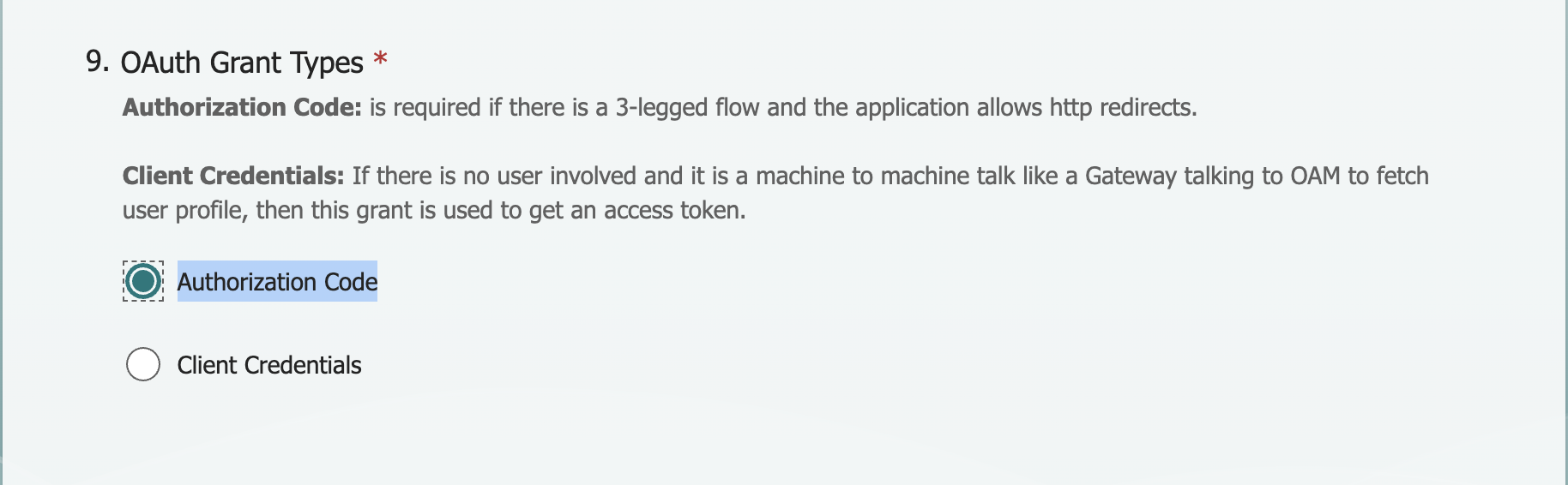
Note: In the app registration form, select OAuth Grant Types as shown below.
Once submitted, you will receive a confirmation email. Contact the IAM team to get the azure_client_id, azure_client_secret, azure_redirect_uri, and azure_tenant values, then update them in your values.yaml file.
- CyberArk secrets - A CyberArk safe is automatically provisioned for your appstack, Database secrets (
DATABASE_NAME,DATABASE_USERNAME,DATABASE_PASSWORD) are automatically added to cyberArk when you provision the postgreSQL dataspace, update the corresponding secret paths in your values.yaml file.
Application-Specific Pipeline Configuration
The extends object in azure-pipelines.yml extends the pipeline logic by referencing the appstack pipeline entry point via template and passing configuration via parameters. The parameters object defines build settings such as appVersion to configure the CI/CD pipeline for your application:
extends:
  template: devops/unleash.yml@spaces
  parameters:
    appVersion: 4.8.x
Update the following environment variables in values.yaml under env_vars :
env_vars:
- name: "primary"
  configs:
    appcode: "your-appcode"
    azure_redirect_uri: "https://your-unleash-host/api/auth/callback"
    DATABASE_HOST: "db-hostname"
    DATABASE_SSL: "false"
    DATABASE_PORT: "db-port"
Note: For Redirect URIs, create a DNS using the DNS KB article and update
azure_redirect_uriin values.yaml.
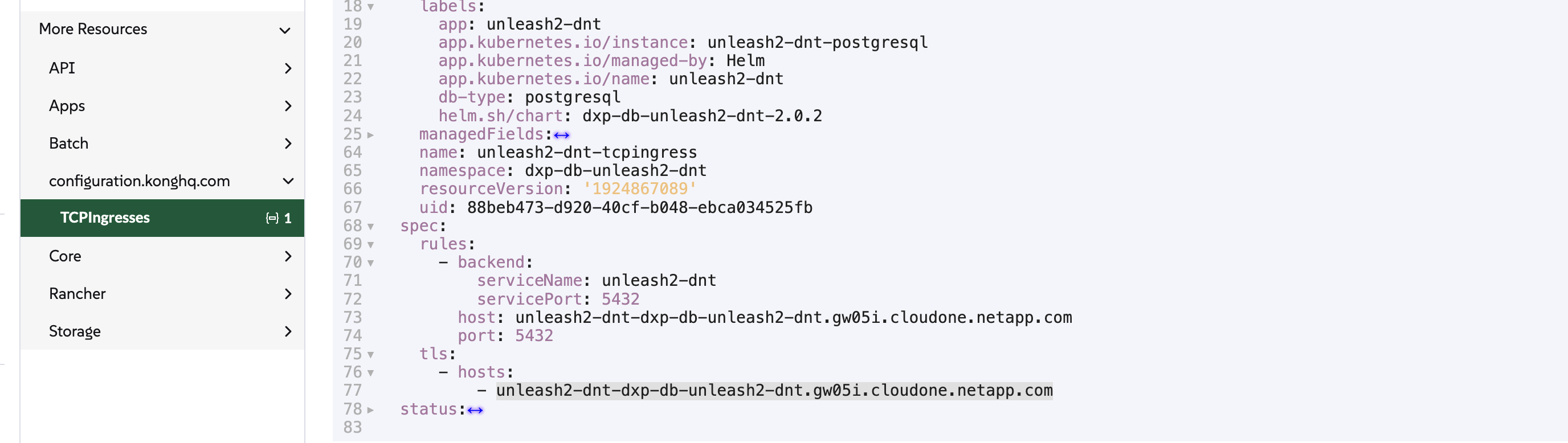
Note: For DATABASE_HOST, log in to Rancher, copy the hostname as shown below, and update it in env_vars.
Database Credentials (CyberArk)
Update the database secrets under cyberark in values.yaml :
cyberark:
  secrets:
    DATABASE_PASSWORD: dxp-db-unleash-dnt-ntap/password
    DATABASE_USERNAME: dxp-db-unleash-dnt-ntap/username
    DATABASE_NAME: dxp-db-unleash-dnt-appdb/username
    azure_client_id: sample-azure_client_id/username
    azure_client_secret: sample-azure_client_secret/password
    azure_tenant: sample-azure_tenant/username
Note: In the example above,
dxp-db-unleash-dntis the CyberArk safe where all database secrets are created for the dxp appcode. Your appcode will already have a CyberArk safe, and the secrets will be automatically updated in the safe based on the environment (e.g.,stg,dnt,prd). Retrieve the secrets from your CyberArk safe and update your values.yaml file accordingly.
Note: Contact the IAM team to get the
azure_client_id,azure_client_secret,azure_redirect_uri, andazure_tenantvalues, then update them in your values.yaml file.
Ingress / Hostname
Update the host field in your values files. For production, use a custom hostname:
ingressEndpoints:
- host: unleash.netapp.com
  internal:
    enabled: true
    mappings:
    - prefix: "/"
      rewrite: "/"
  external:
    enabled: false
    mappings:
    - prefix: "/"
      rewrite: "/"
Replica Count
# Non-production
replicaCount: 1

# Production
replicaCount: 2
For details on defining hostspaces, see defining hostspaces.
For details on skipping deployments, see skipping deployments.
For details on Horizontal Pod Autoscaler, see Horizontal Pod Autoscaler.
For details on PVC for application stacks, see PVC for application stacks.